
Terra
An open-source suite of Docker-based tools for developers to quickly build, deploy, and scale web applications.
 ReadtheDocs
What it is
Terra is a comprehensive suite of open-source tools designed to streamline the process of building and managing web applications using Docker. Its primary purpose is to eliminate the complexity of environment setup, allowing developers to focus solely on writing their application's code. By leveraging Docker and Docker Compose, Terra provides a powerful, scalable foundation that works seamlessly from local development on a personal computer to large-scale production deployments on hosted servers.
The system is centered around two key concepts: 'Apps' and 'Environments'. An 'App' is simply the source code of a website, which Terra manages via its git repository. An 'Environment' encompasses all the systems required to run that source code, which Terra orchestrates using its pluggable EnvironmentFactory. Out of the box, it provides a fully functional Docker cluster, but it is designed to be extensible for different container providers or hosting models.
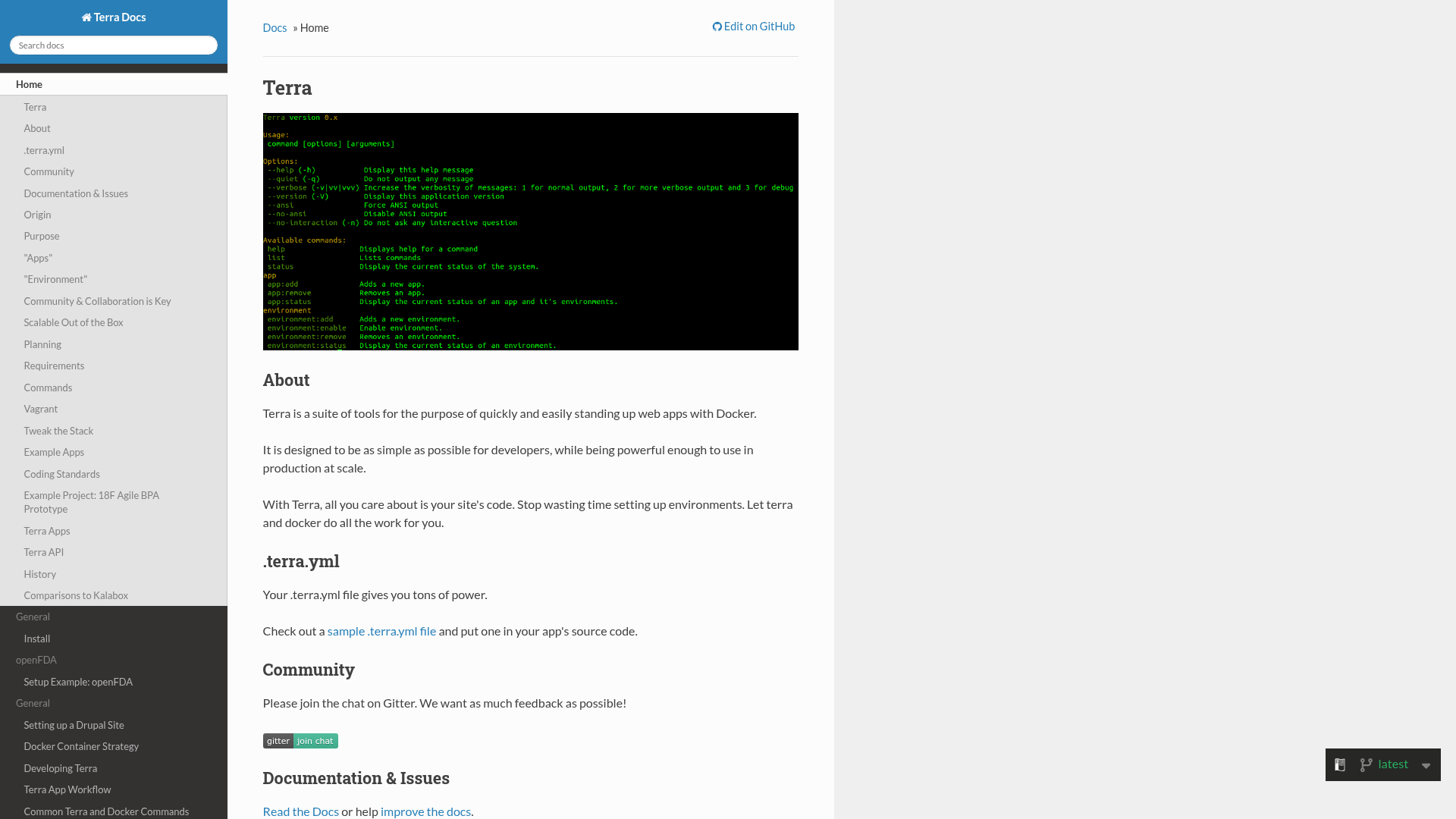
Key features include a powerful `.terra.yml` configuration file that gives developers fine-grained control over their application's Docker Compose stack, allowing for custom overrides and service additions. The accompanying command-line interface (CLI) offers a full suite of commands for everyday tasks, such as adding/removing apps (`terra app:add`), managing environments (`terra environment:enable`), checking status (`terra status`), and scaling app containers (`terra environment:scale`).
Terra is built with community and collaboration at its core, actively seeking feedback to guide its development. It is notably designed for scalability from the start, aiming to make scaling a web application a push-button affair. It is an ideal solution for developers and DevOps professionals seeking an open-source, flexible alternative to manage the entire lifecycle of their web software projects.
This description was generated by AI from the site's public content and may contain errors.
What you can do there
- Add and manage web applications from a git repository
- Create and control isolated Docker-based environments
- Scale application containers with a single command
- Customize your application's Docker Compose stack
- Use a Vagrant box for a pre-configured Terra installation
Who it's for
Developers and DevOps professionals building and deploying web applications
Frequently asked questions about terra.readthedocs.io
›What types of web applications can I run with Terra?
Terra is designed to be flexible, but currently offers out-of-the-box support for Drupal sites. Its configuration system allows you to customize the Docker stack to support other frameworks like WordPress.
›How do I configure my application for Terra?
You configure your application by adding a .terra.yml file to your project's source code root. This file defines settings for Docker Compose and can override the default stack configuration.
›Is Terra only for local development?
No, Terra is designed for the entire application lifecycle. It works for local development on your machine and is also built to be powerful enough for production deployments at scale.
›How does Terra help with scaling my application?
Terra uses Docker Compose to manage containers and includes a dedicated 'scale' command to easily increase or decrease the number of application containers running, facilitating horizontal scaling.
›How can I get involved with the Terra community?
The project encourages collaboration through its GitHub issue queues for reporting bugs and suggesting features, and via chat rooms on Gitter for real-time discussion with other users and developers.
›Can I use Terra with my existing Vagrant setup?
Yes, the project includes a Vagrantfile that can be used to provision a Linux server with Terra pre-installed, making it easy to integrate into a Vagrant-based workflow.