
Templated Docs
Django package for generating office documents from templates using LibreOffice
 ReadtheDocs
What it is
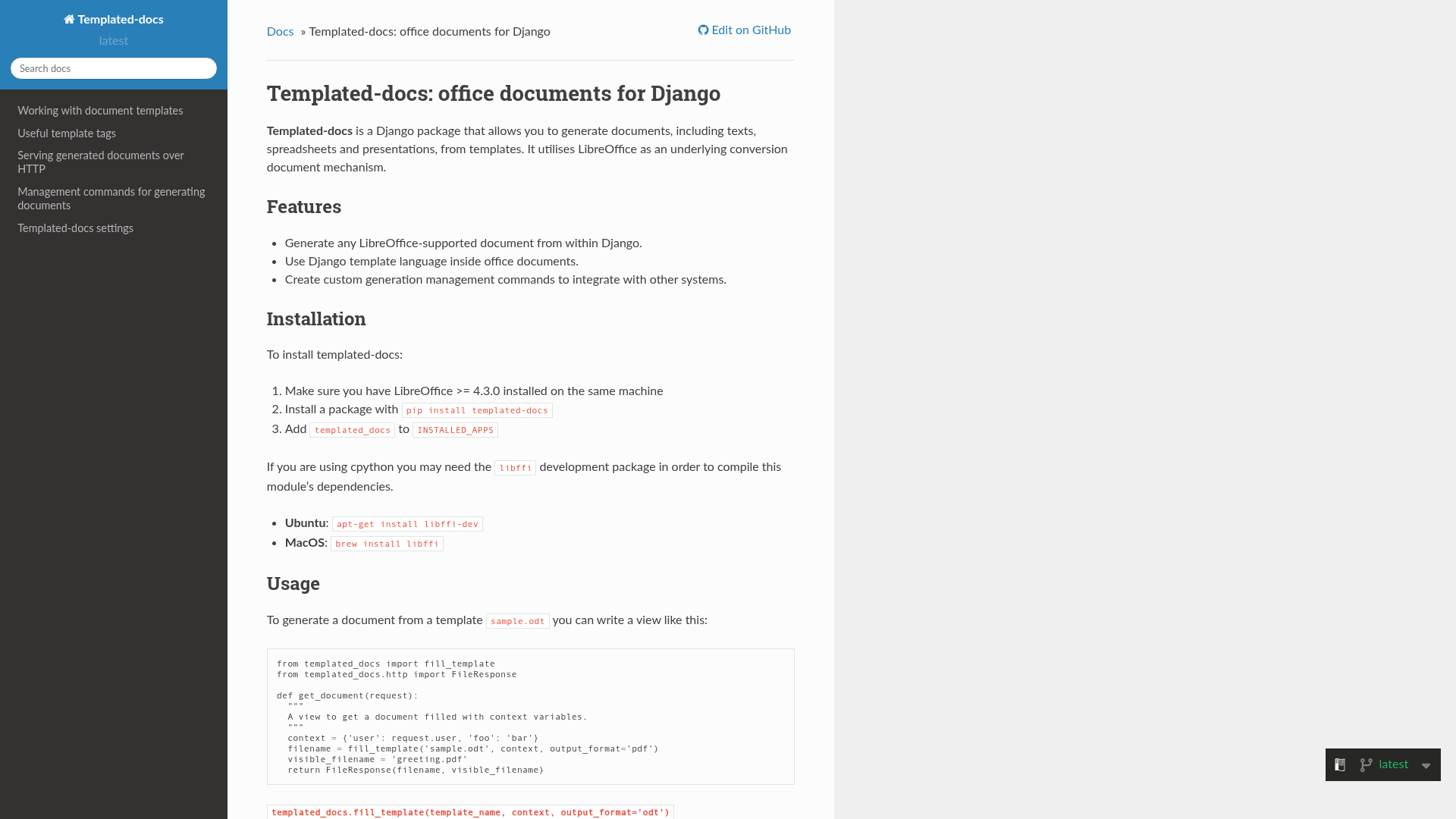
Templated-docs is a Django package that enables developers to generate documents such as texts, spreadsheets and presentations from templates. It uses LibreOffice as the underlying conversion engine, allowing any LibreOffice-supported format to be produced from within a Django application. The package integrates Django template language directly into office documents, so developers can use familiar template syntax for dynamic content.
Key features include the ability to generate any document format supported by LibreOffice, custom management commands for batch generation, and built-in helpers for serving generated files over HTTP. The system supports a subset of Django templating features such as looping and custom template tags like lolinebreaks and image insertion. This makes it suitable for creating reports, invoices, certificates and other document-driven workflows.
The primary audience is Django developers who need programmatic document generation in their web applications. It helps teams that require automated creation of PDFs, ODT files, spreadsheets or presentations without relying on external APIs. By leveraging LibreOffice locally, it avoids per-document costs and keeps data on-premise.
Getting started requires installing LibreOffice 4.3 or newer on the server, adding the package via pip, and registering it in Django's INSTALLED_APPS. A simple view can then call fill_template with a template name, context dictionary and desired output format, returning a file response to the user. The documentation provides a complete example and details on template placement, supported formats and configuration settings.
Notable aspects include its open-source nature under active maintenance, hosting on GitHub with issue tracking, and comprehensive documentation built with Sphinx on Read the Docs. The project has been available since 2016 and continues to receive updates, making it a mature choice for Django document generation.
This description was generated by AI from the site's public content and may contain errors.
What you can do there
- Read comprehensive documentation
- Install the Django package via pip
- View usage examples for views and templates
- Check configuration settings and template tags
- Contribute or report issues on GitHub
Who it's for
Django developers needing programmatic document generation
Frequently asked questions about templated-docs.readthedocs.io
›What document formats can templated-docs generate?
It can generate any format supported by LibreOffice, including PDF, ODT, ODS, ODP, DOCX, XLSX and PPTX.
›Does templated-docs require a running LibreOffice instance?
Yes, LibreOffice must be installed on the same machine where the Django application runs, as it is used for the conversion process.
›Can I use Django template language inside my office templates?
Yes, the package allows Django template syntax within office documents, supporting variables, loops and custom template tags.
›How do I serve a generated document to a user in a view?
Use the fill_template function to create the file, then return a FileResponse with the generated filename and a visible filename for download.
›Are there management commands for bulk document generation?
The package includes management commands that can be customized to integrate with other systems for automated generation tasks.
›Where should I place my document templates in a Django project?
Templates can be placed in any directory that is included in Django's template loaders, typically within a templates folder of an app.
›Is templated-docs compatible with recent Django versions?
The documentation does not specify exact version compatibility, but as an actively maintained open-source package it generally supports current Django releases.