
Re Color Cabinets
AI tool to visualize kitchen cabinet and countertop color changes from uploaded photos. Upload a kitchen photo, select new colors, and see realistic AI-generated results. Free demo for homeowners planning renovations. Available in Hebrew with English color labels.
 Lovable
What it is
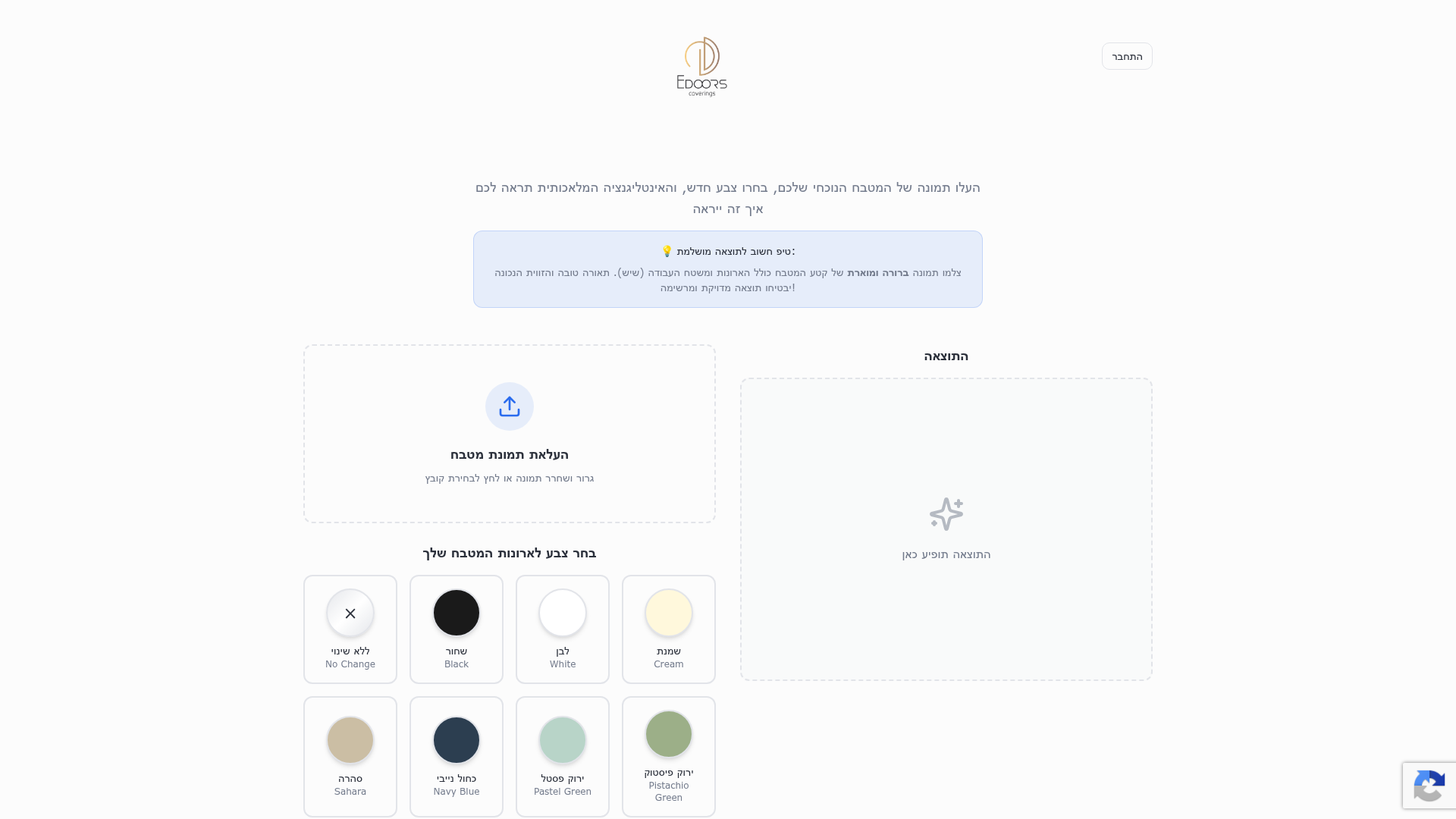
This AI-powered kitchen visualization tool helps homeowners preview cabinet and countertop color changes before committing to renovations. Users upload a clear, well-lit photo of their current kitchen showing cabinets and work surfaces, then select new colors from curated palettes for both cabinets and countertops. The artificial intelligence processes the image and renders a realistic simulation of the updated kitchen. Cabinet color options include neutral tones like white, cream, light gray, and dark gray, plus wood finishes and accent colors such as navy blue, pastel green, and pistachio green. Countertop choices cover solid colors, wood looks, and stone effects like travertine. A prominent disclaimer notes that results are for illustration only and may differ from actual outcomes. The tool is branded under Edoors, a company name appearing in the copyright notice, and includes standard privacy policy and reCAPTCHA protection. No account creation or payment is required to use the demo, making it accessible for quick exploration. The interface supports drag-and-drop or file selection for uploads, and the workflow is guided by a helpful tip emphasizing good lighting and proper angles for best accuracy. This type of AI home design assistant serves homeowners, interior designers, and contractors who want rapid visual feedback during the planning phase. It fills a niche between professional rendering software and simple paint visualizers by focusing specifically on kitchen cabinetry and surfaces with AI-driven realism. The site runs on the Lovable platform, suggesting it may be a prototype or template demonstration of an AI application concept.
This description was generated by AI from the site's public content and may contain errors.
What you can do there
- Upload kitchen photo for AI recoloring
- Select cabinet colors from 12 preset options
- Select countertop colors from 9 preset options
- View instant AI-generated kitchen simulation
- Access free without registration
Who it's for
Homeowners planning kitchen renovations, interior designers, contractors seeking quick color visualization
Frequently asked questions about re-color-cabinets.lovable.app
›How does the AI kitchen recoloring tool work?
Upload a clear photo of your kitchen showing cabinets and countertops, then choose new colors from the provided palettes for cabinets and work surfaces. The AI generates a simulated view of the kitchen with your selected colors applied.
›What cabinet colors can I preview?
Options include no change, black, white, cream, sahara, navy blue, pastel green, pistachio green, light gray, dark gray, light wood, and dark wood finishes.
›What countertop or work surface colors are available?
Choices cover no change, black, light wood, dark wood, dark gray, light gray, white, cream, and travertine stone effect.
›Is the simulation accurate to real life results?
The site states the visualization is for illustration only and actual results may differ. Good lighting and proper camera angle improve accuracy but the tool cannot guarantee exact color matching.
›Do I need to create an account or pay to use this tool?
No account or payment is mentioned. The demo appears free to use with direct upload and instant results.
›Who is behind this kitchen visualization tool?
The copyright notice shows Edoors 2026 with a privacy policy link, suggesting an Israeli company or brand operating the service.
›Can I use this for professional design presentations?
The tool is marked as a simulation for convenience only. Professionals should verify colors with physical samples and not rely solely on AI-generated previews for client approvals.