
PDF Summarizer
AI tool that summarizes uploaded documents in multiple styles, lengths, formats, and languages.
 Replit
What it is
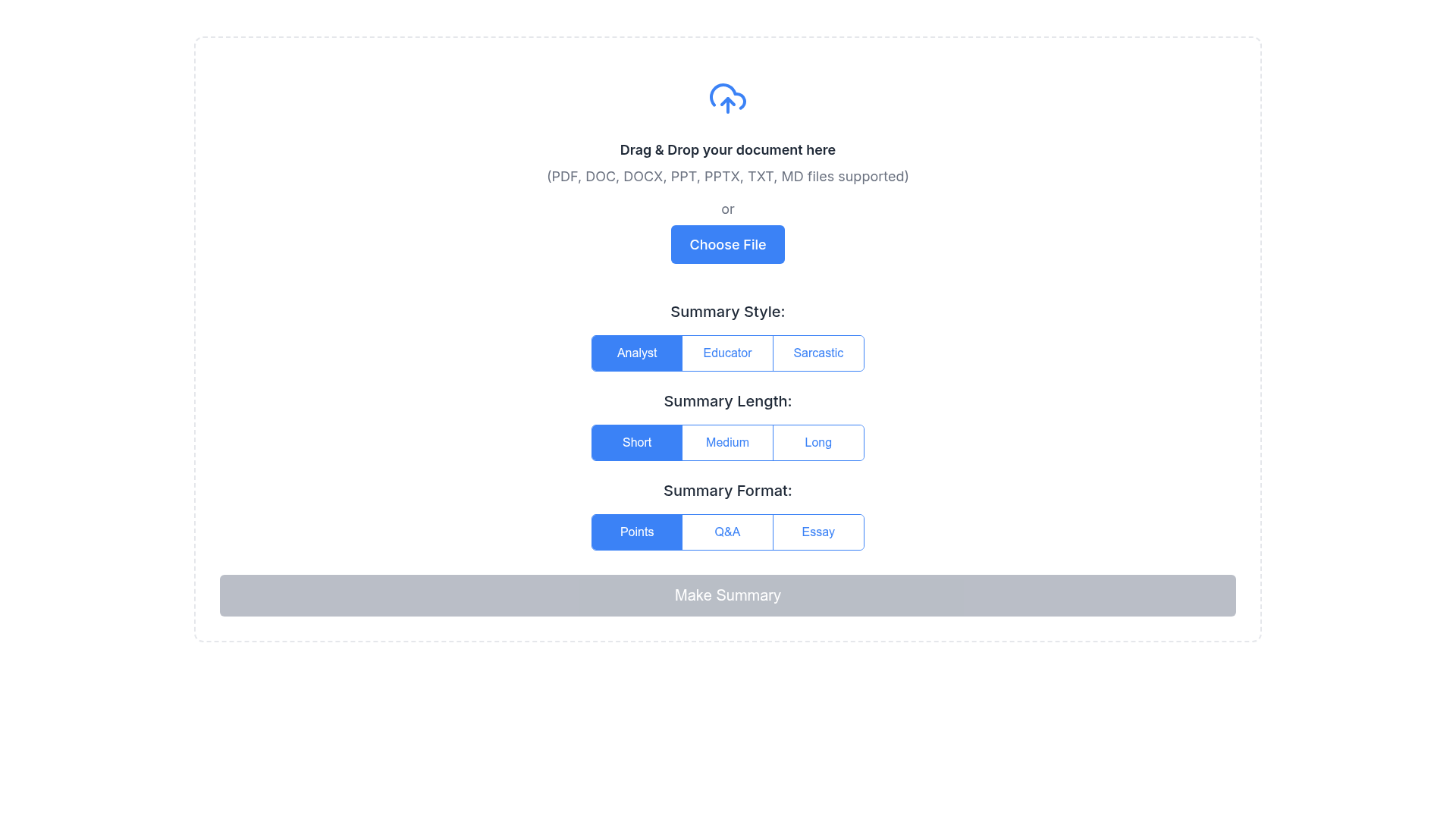
PDF Summarizer is an AI-powered web application designed to quickly condense and extract key information from a variety of document formats. Users can simply drag and drop their files to receive an instant summary, making it an efficient tool for processing large amounts of text.
The tool supports a wide range of file types including PDF, DOC, DOCX, PPT, PPTX, TXT, and MD files. Its core functionality allows users to customize their summary output by selecting a style such as Analyst, Educator, or even Sarcastic. Users can also choose the summary length and output format, including bullet points, a Q&A, or a short essay.
A notable feature is its multilingual support. While summaries are generated in English by default, the tool offers translation into over two dozen languages, including Mandarin Chinese, Spanish, Hindi, French, and Arabic. This makes it highly valuable for students, researchers, and professionals who need to process information in different languages.
After generating a summary, the platform provides several options for using the content. Users can download the summary as a text file, download it in Markdown format, or simply copy it to their clipboard for immediate use. This combination of flexible input, customizable AI processing, and versatile output makes it a robust document analysis tool.
This description was generated by AI from the site's public content and may contain errors.
What you can do there
- Summarize uploaded documents
- Customize summary style and length
- Choose output format (Points, Q&A, Essay)
- Translate summaries into multiple languages
- Download summaries as text or Markdown files
Who it's for
Students, researchers, and professionals who need to quickly digest long documents and reports.
Frequently asked questions about pdf-summarizer.replit.app
›What file formats does the PDF Summarizer support?
The tool supports PDF, DOC, DOCX, PPT, PPTX, TXT, and MD files for summarization.
›Can I choose how my summary is written?
Yes, you can select from different summary styles like Analyst or Educator, choose a length from Short to Long, and pick a format such as Points, Q&A, or Essay.
›Does it support languages other than English?
Summaries are generated in English but can be translated into many languages, including Spanish, French, German, Chinese, and Arabic.
›How do I get my summary after it is generated?
You can download your summary as a text file, download it in Markdown format, or copy it directly to your clipboard.
›Is there a cost to use this summarization tool?
The available information does not specify a cost, indicating the tool may be free to use for its core summarization features.
›Who is this document summarization tool for?
It is ideal for students, researchers, analysts, and any professional who needs to quickly understand the key points of long documents and reports.