
JupyterCAD
An open-source, collaborative 3D CAD modeling tool built as a JupyterLab extension for creating and editing FreeCAD files.
 ReadtheDocs
What it is
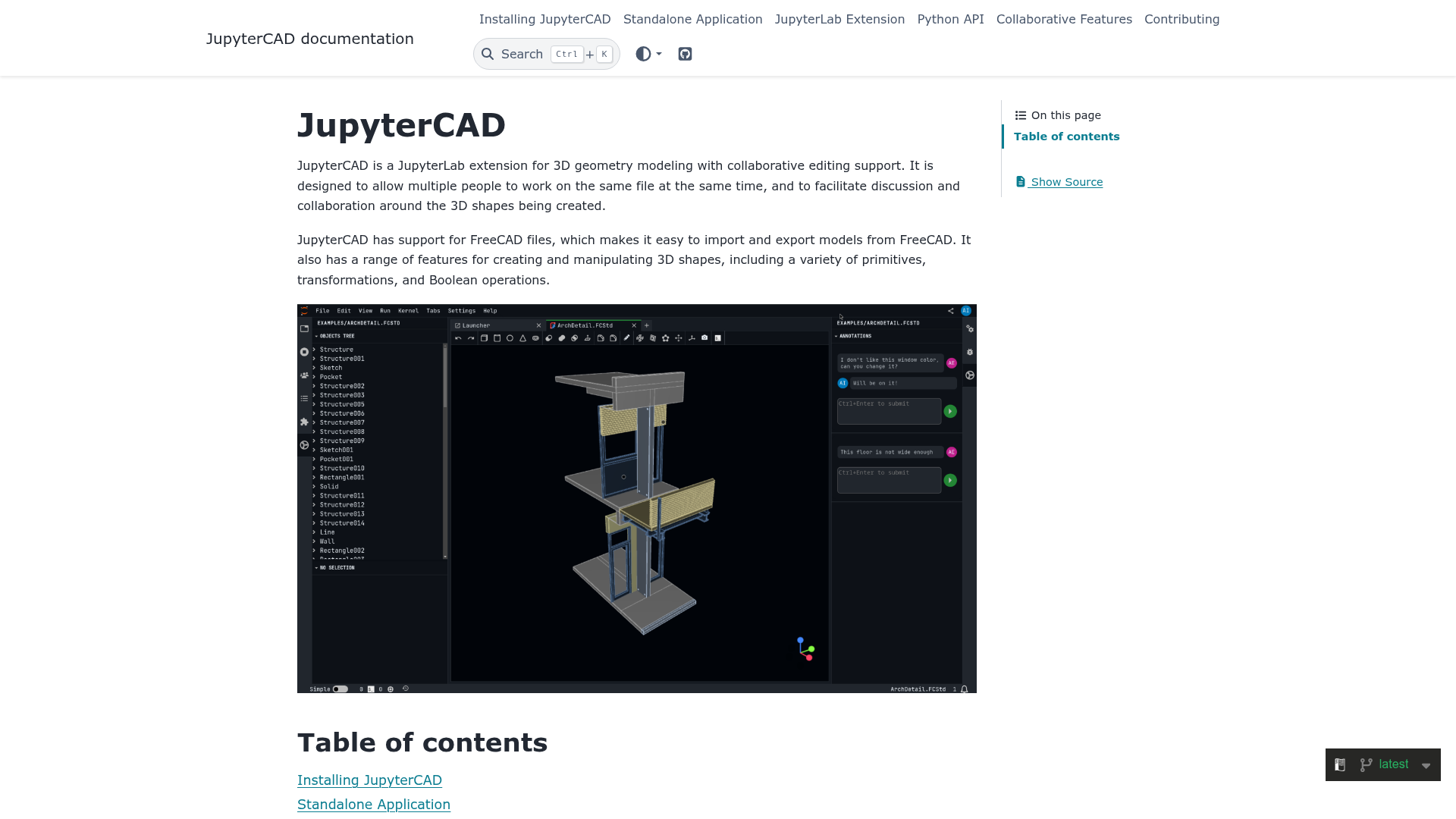
JupyterCAD is a specialized JupyterLab extension designed for 3D geometry modeling. It integrates directly into the Jupyter computational environment, allowing users to create, manipulate, and analyze 3D models. A core feature is its support for real-time collaborative editing, enabling multiple users to work on the same CAD file simultaneously, which facilitates teamwork and discussion around complex 3D shapes.
The tool provides robust support for FreeCAD file formats, making it easy to import existing models from FreeCAD and export work back to it for further refinement. Users have access to a range of modeling features, including various geometric primitives, transformations, and Boolean operations for creating complex shapes. This makes it a powerful tool for mechanical design, prototyping, and educational purposes.
Its primary user base includes engineers, designers, researchers, and educators who are already working within the Jupyter ecosystem. It is particularly useful for those who need to combine computational work, like data analysis or algorithm development, with 3D visualization and design. Getting started involves installing it either as a standalone application or as an extension within an existing JupyterLab environment.
What makes JupyterCAD notable is its unique position at the intersection of scientific computing and professional CAD tools. It is an open-source project, which encourages community contributions and transparency in its development. Its collaborative features set it apart from many traditional desktop-based CAD applications, making it ideal for remote teams and academic collaboration.
This description was generated by AI from the site's public content and may contain errors.
What you can do there
- Create and edit 3D models
- Collaborate on designs in real-time
- Import and export FreeCAD files
- Use a Python API for programmatic control
- Perform Boolean operations on shapes
Who it's for
Engineers, designers, researchers, and educators using Jupyter for computational design
Frequently asked questions about jupytercad.readthedocs.io
›What is JupyterCAD?
JupyterCAD is an open-source extension for JupyterLab that enables 3D computer-aided design (CAD) modeling and supports real-time collaboration on designs.
›Can I use JupyterCAD with FreeCAD?
Yes, JupyterCAD has native support for FreeCAD file formats, allowing you to easily import and export models between the two applications.
›How does collaborative editing work in JupyterCAD?
Multiple users can connect to and edit the same CAD file at the same time, with changes visible to all participants in real-time to facilitate teamwork.
›Do I need to code to use JupyterCAD?
While it integrates with JupyterLab and offers a Python API for programmatic control, it also provides a graphical interface for interactive 3D modeling without writing code.
›Is JupyterCAD free to use?
Yes, as an open-source project, JupyterCAD is completely free to use and modify.
›How do I install JupyterCAD?
You can install it either as a standalone application or as an extension directly into your JupyterLab environment, with detailed instructions provided in its documentation.