
Cadence
A productivity app that combines calendars, reminders, and lists into a single daily briefing for a focused and organized day.
 Base44
What it is
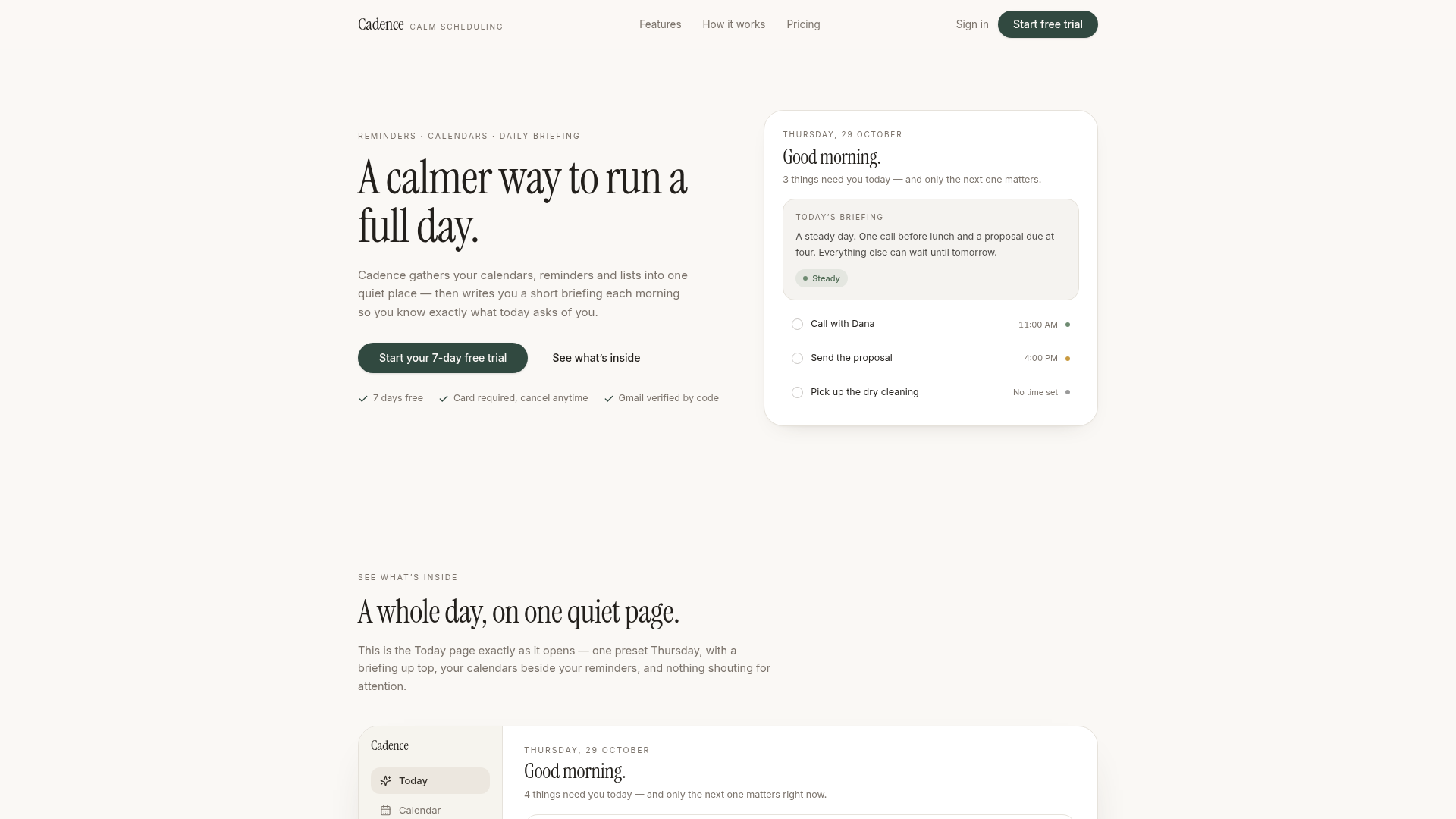
Cadence is a productivity and scheduling application designed to reduce digital clutter and create a calmer daily workflow. It gathers all your calendars from services like Google, Outlook, and Apple, alongside your personal reminders and lists, and presents them together on one quiet, integrated page.
The core feature is a written daily briefing that provides an honest summary of your day's load, focus, and what can potentially wait. This helps users understand their priorities at a glance without being overwhelmed. The app also includes an AI assistant for planning and triaging tasks, turning brain-dumps into structured reminders.
Users can group reminders into colored, prioritized lists and receive gentle nudges for upcoming tasks and calendar events. The platform emphasizes ease of use, allowing users to type reminders in natural language, such as 'Dentist friday 3pm', which the system automatically parses and schedules correctly.
It operates on a subscription model with a free trial, offering two tiers: a standard plan for core scheduling features and a plus plan that includes advanced AI assistance. Cadence is built for anyone seeking to streamline their daily planning and reduce the cognitive load of managing multiple productivity tools.
This description was generated by AI from the site's public content and may contain errors.
What you can do there
- Start a free trial
- Read a daily written briefing
- Sync calendars from Google, Outlook, Apple, or ICS
- Create and manage reminders and lists
- Use an AI assistant for planning (on Plus plan)
Who it's for
Professionals and individuals seeking a calmer, more organized daily workflow.
Frequently asked questions about cadence-reminder.base44.app
›What calendars does Cadence support?
Cadence supports connecting calendars from Google, Outlook, Apple, and any ICS feed.
›How does the daily briefing work?
Each morning, Cadence writes a short summary of your day based on your connected calendars and reminders, outlining your schedule and priorities.
›Can I create and organize reminders?
Yes, you can create reminders, group them into lists with colors and priorities, and receive alerts when they are due.
›Is there a free trial available?
Yes, Cadence offers a 7-day free trial for both of its subscription plans, requiring a card at signup but charging nothing until after the trial.
›What is the difference between Cadence and Cadence Plus?
Cadence Plus includes all the standard features plus an AI assistant that helps with planning and turning unstructured thoughts into organized reminders.
›How do I sign in to the app?
You can sign in using a Gmail address, which is verified by a six-digit code sent to your email for security.
›Can I use Cadence on mobile devices?
Yes, Cadence is available on both desktop and mobile devices and includes both light and dark themes.